Amazon catalog management that keeps a growing catalog under control
As a catalog grows, errors multiply. We keep product data accurate, organized, and compliant across every SKU.
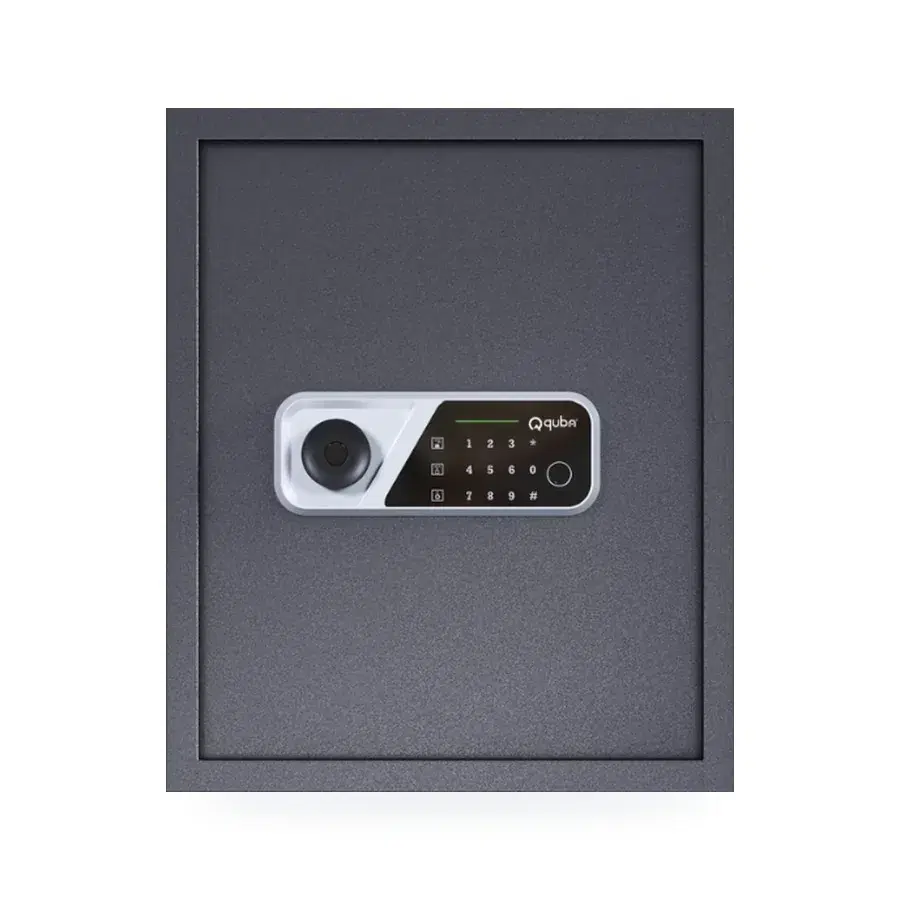
Quba Maximus Digital Safe with Two-Way Access, Smart Freeze and Alarm
- Lock
- Digital + key
- Alarm
- Smart freeze
- Backup keys
- 2
- 4 models in one family
- Every attribute filled
- Right category and browse node
Trusted by top e-commerce brands
















Catalog problems that quietly cost you sales
Most listing problems turn out to be catalog problems. The copy can be right while the variations are split, the category is wrong, or a data field is empty.
Broken or incorrect variations
Shoppers expect one page with every size and colour. A broken family sends them to separate listings, and your reviews stop adding up in one place.
Incorrect product attributes or categories
Amazon uses these fields to decide where to show a product. A wrong category or a blank field means it appears in the wrong searches, or none.
Duplicate or conflicting listings
Two listings for one product split traffic and reviews, and you end up competing against yourself.
Lost or overwritten content
You fix a title and it changes back, usually because another source is feeding Amazon different data.
Inconsistent product data
Different names, sizes, and units for similar products look small on one SKU and add up to confusion across a catalog.
What's included in every catalog project
003002001+- Catalog audit and issue mappingWe check every ASIN for variation, attribute, and data problems, and rank them by impact.
- ASIN creation and new product setupNew products set up correctly from the start, with the right product type and complete data.
- Variation creation and repairWe build new variation families and repair broken ones, so shoppers see one page with all the options.
- Flat files and bulk catalog updatesLarge changes made through bulk files, tested first on a few SKUs.
- Attribute and data accuracyEvery field filled correctly and consistently across your range.
- Category and browse node correctionProducts moved to the category where shoppers actually look.
- Duplicate ASIN cleanupWe identify duplicates and, where Amazon allows it, work to merge or clean them up.
- Content contribution conflictsWhen titles or images change back, we trace why and correct the cause.
- Verification after every updateAfter Amazon processes our changes, we check them and send you a written log of what changed.
We audit the catalog before making changes
Changing a live catalog carries risk, so we work in a set order: find the cause, fix it, test it, then confirm Amazon accepted it.
- Find the cause
- Fix it
- Test it
- Confirm
- 01Audit and map the issuesWe list every problem across your catalog and group the ones that share a cause.
- 02Find the cause firstA broken variation can come from a wrong theme, a bad file, or a conflicting source. We find which before we fix.
- 03Rank by impactWe start with the problems that cost you the most sales or carry the most risk.
- 04Use the right routeSome fixes are listing edits, some are bulk files, and some need an Amazon support case. We choose the one that works.
- 05Test before a bulk changeRisky changes go to a few SKUs first, so a mistake doesn't spread across the whole catalog.
- 06Read the processing reportAn upload that "went through" can still hide errors, so we check Amazon's report SKU by SKU.
- 07Record everythingYou get a written record of what changed and what is still waiting on Amazon.
Clean data helps your copy work harder. See our listing optimization service.
How we work
We combine your product expertise with real customer insights to create Amazon listings that answer questions, build confidence, and make buying decisions easier.
- Step 01
Understand the product
We work with your brand or product team to understand what makes your product different, who it's for, and what matters most.
- Step 02
Listen to the customers
We analyze customer feedback on and beyond Amazon, including reviews of top competitors, to uncover what shoppers love, dislike, question, and expect.
- Step 03
Build the content strategy
We turn those insights into a slide-by-slide plan, prioritizing the information shoppers need most in the first 3–4 images.
- Step 04
Create with purpose
We develop compelling copy, high-impact visuals, realistic lifestyle imagery, and A+ Content. Where relevant, we add product education, comparisons, assembly, and care guidance.
- Step 05
Review & refine
Every detail is checked for product accuracy, brand consistency, and Amazon requirements. Your team reviews and approves the content before publishing.
- Step 06 · live
Publish & verify
We publish the approved content or support your team with implementation, then verify the updates are live where we have access.
Get your listing audit before you decide anything.
Send one ASIN and get a clear report of what to fix first, in plain language.