Amazon A+ Content India 2026: What It Is, How to Build It, and Why Most Sellers Get It Wrong
Amazon Listing Optimisation

Amazon A+ Content India 2026: What It Is, How to Build It, and Why Most Sellers Get It Wrong

Written by Naveen Kumar Nutheti
10 April, 2026|13 min read
Share

Amazon A+ content is one of the most under-used tools on Amazon India. Most sellers know it exists. Far fewer use it well. When a buyer lands on your listing, the title and bullets do the first job. But they don't close the sale on their own. Buyers scroll down. They want to see more before they commit. For sellers on Amazon Seller Central India, this is exactly where A+ content steps in — turning a plain description into a structured experience that answers the buyer's questions before they leave.

Key Takeaways
Amazon A+ content gives brand-registered sellers a way to go beyond the standard product description. You can add images, comparison tables, feature breakdowns, and benefit-led copy — all inside a structured layout.
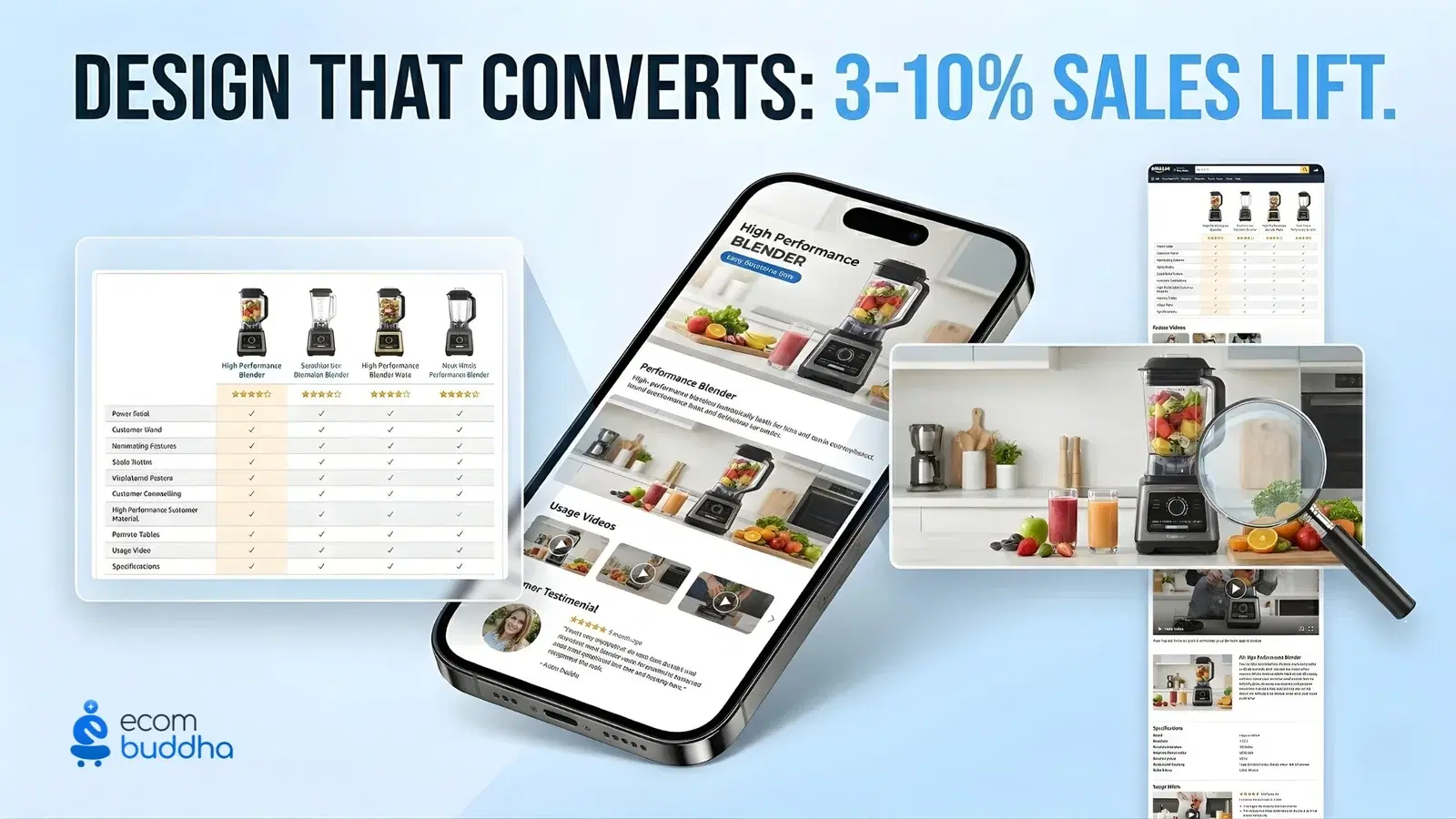
Amazon says this can lift average sales by 3–10%. The sellers who see those results don't design every listing from scratch.
They use a repeatable A+ content template so every product follows the same proven structure.

What Is Amazon A+ Content and Who Can Use It

A+ content is a feature that lets you replace the standard product description with something far better. Instead of a block of plain text, you get a visual layout made up of individual modules. Each module has a headline, an image slot, and a body copy section. You build the page block by block.
The result sits below your bullet points on the product detail page. It doesn't replace your title or bullets. It picks up where they leave off — for the buyer who wants more information before deciding.
To use it, you need to be enrolled in Amazon Brand Registry. That means your brand needs a registered trademark linked to your seller account in Amazon Seller Central India. Once that's done, the feature shows up under Advertising → A+ Content Manager. Standard access is completely free.
Standard A+ vs. Premium A+ — What's the Difference?
FeatureStandard A+Premium A+ (A++)
Who gets itAll brand-registered sellersSellers with 5+ approved A+ projects in the last 12 months
What's in itImages, text, comparison tables, spec tablesEverything in Standard, plus video, interactive hotspots, Q&A sections
CostFreeFree — Amazon unlocks it automatically when you qualify
Right forMost Amazon India sellersLarge catalogue sellers with a dedicated content team
For most sellers reading this, Standard A+ is the right starting point. A clean, well-structured Standard A+ page converts better than a messy Premium one. Focus on structure before you chase eligibility.

Why Your A+ Page Matters More Than You Think — The Numbers

Let's start with what Amazon itself says. Enhanced brand content can lift average sales by 3–10%, according to Amazon's seller documentation. Put that in real terms. If your product earns ₹5 lakh a month, a 5% lift is ₹25,000 in extra revenue — without touching your ads or price.
Now add the India context. More than 70% of purchases on Amazon India happen on mobile. People are scrolling on a small screen between other things. They scan. They don't read paragraphs. A visual, structured layout communicates faster than a block of text — which is exactly why A+ pages outperform standard descriptions in this market.
Think about how buyers actually behave. They look at the main image. They read the bullets. If they're still not sure, they scroll down. The buyer who makes it to your A+ section is serious. They haven't left yet. Eye-tracking studies on e-commerce pages show they decide whether to stay or go within 5–8 seconds of seeing that section.
In high-competition categories — electronics, home & kitchen, personal care — your A+ page is often the only thing that separates you from a competitor with a similar price and similar bullets. Better content wins that comparison, even at a slightly higher price point.

Which A+ Modules Should You Use — and Where

Amazon gives you a module library when you open the A+ Content Manager. The mistake most sellers make is picking modules randomly or trying to fill every available slot. That's not how good A+ pages work.
Every module has one job. When you ask a single block to do three things at once, it ends up doing none of them well. Pick fewer modules and give each one a clear purpose.
Module TypeWhat It Does BestWhere to Put It
Full-width image bannerSets the visual tone and brand feel for the entire sectionFirst — top of your A+ section
Image + textExplains one product feature alongside a supporting imageMiddle of the page — use for 2 to 4 key features
Four-image highlightsShows your top 4 USPs as a quick visual rowRight after the opening banner
Comparison chartPuts your product variants side by side so buyers can self-selectNear the end of the page
Technical spec tableLists dimensions, materials, certifications, compatibilityLast or second-to-last module
Image with text overlayA visual-first branding moment with a short headlineWorks well in the first or second position for lifestyle brands
Here's a real example. A kitchen appliance brand built A+ modules for their 5L pressure cooker in this order — a lifestyle banner, four-image highlights, three image+text modules covering capacity, safety valve, and material grade, a spec table, and a comparison chart for 3L vs 5L vs 8L. Within 6 weeks, their conversion rate went from 8.1% to 8.7%. That's a 7% lift. No ad changes. No price changes. Just better content.
Need your A+ modules written and structured to Amazon India guidelines?

EcomBuddha's content team handles module selection, copy, and image briefing for brands including Godrej, Havells, and Taparia.

How to Create A+ Modules in Amazon Seller Central India — Step by Step

Once your copy is ready, the build process inside Amazon Seller Central India takes around 20 to 40 minutes per ASIN. Amazon's team usually reviews and approves submissions within 7 business days.
Before You Start
Your brand is enrolled in Amazon Brand Registry and your trademark is active
The ASIN you want to apply this to is live and not suppressed
Your copy is written and signed off internally — don't start building without finalised text
The Steps
Log in at sellercentral.amazon.in with your Amazon seller login India credentials
Go to Advertising → A+ Content Manager from the top menu
Click Start creating A+ content and give your project a clear name — for example: Pressure Cooker 5L April 2026
Pick your modules from the library and fill in copy for each one
Assign the content to your ASIN
Switch to the mobile preview and check it properly — what looks balanced on desktop can break on a phone screen
Submit for approval
Why Submissions Get Rejected — and How to Avoid It
Rejection ReasonHow to Fix It
Image is below 970px in widthUse images at least 970px wide. Full-width banners need 1,464px minimum
A competitor's brand name appears in the copyRemove it entirely — even indirect mentions count
A price or discount is mentionedNever include price claims inside A+ copy. It will be rejected every time
You've used a superlative like "best in India"Replace it with a specific, provable claim — a material grade, certification, or test result
A customer review is quoted or paraphrasedAmazon does not allow review language inside A+ content. Remove it

How to Use an A+ Content Template — and Why It Works

Here's the problem most sellers run into. They open the A+ Content Manager, stare at a blank screen, and start picking modules at random. Some sections end up over-written. Others are thin. There's no clear flow. The page looks put together, but it doesn't guide the buyer anywhere.
An A+ content template fixes this before you open the tool. It's a simple document that tells you which modules to use, what each one covers, and in what order. You write it once per category and use it for every ASIN in that range.
SlotModuleWhat Goes HereOne Rule to Follow
1Full-width bannerBrand context — show the product in its natural settingUse one short headline. Let the image do the work.
2Image + textWhat the product is and who it's forSpeak to the buyer who's still undecided. Address their main concern.
3Four-image highlightsYour top 4 reasons to buyWrite benefits, not specs. "12-hour warmth" beats "vacuum insulated".
4Image + text (2–3)A deeper look at each key featurePut one specific number or material detail in every module.
5Spec tableDimensions, weight, materials, certificationsInclude everything a buyer needs to confirm the product fits their need.
6Comparison chartYour other products or variants side by sideThis keeps buyers on your page instead of going somewhere else to compare.
Why does this work better than designing from scratch each time? Because it follows the way buyers think. They want to understand what the product is, then why it's worth the price, then whether it works for their situation. A page that follows that sequence answers their questions in the right order. That's what drives the decision.
In our work with Indian brands across tools, kitchen appliances, and personal care categories, listings built on a structured template consistently outperform unplanned layouts by 4–6% on conversion rate.
A strong A+ page is only one part of the picture.

Your title, bullets, and keywords all need to work together. EcomBuddha's platform helps Amazon India sellers optimise every element of their listing.

See EcomBuddha's Listing Tools

What Actually Makes an A+ Page Convert — 5 Things That Matter

A well-designed page and a high-converting page are not the same thing. You've probably seen A+ pages that look great but don't do much. The gap is almost always in how the content is written and ordered — not in the design itself.
Lead with what it does, not how it's built. "Keeps food fresh for 48 hours" converts better than "double-walled vacuum insulation". Buyers care about outcomes, not engineering.
Write short headlines. On mobile, long module headlines get cut off or ignored. Keep every headline under 40 characters. The copy below it does the explaining.
Don't repeat your bullets. Buyers who reach the A+ section have already read the bullet points. If you just repeat them here, you've wasted the page. Go deeper — add a use case, a number, or a detail that wasn't in the bullets.
Make every claim specific. "Premium quality" means nothing. "304-grade stainless steel, BIS certified, tested to 200 joules of impact resistance" means something. Specific claims build trust. Vague ones don't.
Test the headline-only scan. Cover the body copy and read only the module headlines. Can you still understand what the product does, why it's worth buying, and who it's for? If not, the headlines need rewriting.

Five A+ Mistakes That Are Quietly Costing You Sales

The MistakeWhy It HurtsWhat to Do Instead
Copying your bullets into the A+ sectionBuyers have already read them. Repetition wastes the section and signals lazy content.Go deeper. Add a use case, a specific number, or context that wasn't in the bullets.
Putting too many messages in one moduleWhen one block tries to cover three things, it does none of them well. The buyer gets confused and moves on.One idea per module. Cut anything that doesn't add something new.
Not checking the mobile previewA layout that looks balanced on a desktop screen can appear broken on a phone. Over 70% of Amazon India purchases happen on mobile.Always check the mobile preview in Seller Central before you submit.
Using vague or unverifiable claims"Best in India" and "premium quality" are not just unconvincing — they're also common reasons Amazon rejects A+ submissions.Replace every vague claim with something specific and provable.
Skipping the comparison module for variantsIf you sell a 3L and a 5L version, buyers leave your page to compare them. Most don't come back.Add a comparison chart for your own product range. Keep the buyer on your listing.
Most Amazon India sellers have heard of A+ content. Very few use it the way it's meant to be used. The ones who do — who build it on a clear template, write for the buyer instead of the algorithm, and check every module on mobile before submitting — they're the ones winning in competitive categories right now.
You don't need a premium design budget to make this work. You need the right structure, benefit-led copy, and the discipline to not stuff every module with text. Start with the 6-slot template in Section 5. Apply it to your top-selling ASIN first. See what the data tells you in 6 weeks.

Frequently asked Questions

Naveen Kumar Nutheti

Naveen Kumar Nutheti is a seasoned e-commerce strategist with 12+ years of experience across India and the Middle East. He has scaled businesses past ₹1,000 Cr in annual revenue and consults brands including Godrej, Nippon Paint, Kohler, Havells, Taparia, and Birla Opus on e-commerce sales strategy and product listing optimisation. He is the founder of EcomBuddha, an AI-powered listing intelligence platform for Amazon India sellers.

© Digicom Buddha Tech pvt ltd. All rights reservedPrivacy PolicyTerms of Service