Amazon A+ Content: The Complete Guide for Indian Sellers (2026)
Amazon Seller Strategy

Amazon A+ Content: The Complete Guide for Indian Sellers (2026)

Written by Naveen Kumar Nutheti
14 April, 2026|15 min read
Share

If you're selling on Amazon India and your listing still has just the basic product description in the detail page, you're leaving real money on the table. Amazon A+ Content is what separates listings that just show up from listings that actually sell. This guide covers everything — what A+ is, why Amazon built it, what it does to your sales, what it costs, how to keep those costs in check, which modules are available, and which ones to use for your specific product.

Key Takeaways
A+ Publishing Costs: Basic A+ is free for all Brand Registry sellers to publish. Premium A+ in India requires either Amazon category team approval or a paid enablement programme — it is not available by default.
Sales Uplift Is Real: Amazon's own published data shows up to 10% sales lift from Basic A+ and up to 20% from Premium A+. The effect is strongest in categories where the product needs explanation.
Module Choice Matters: Picking the right module for your product type makes a bigger difference than simply using the maximum number of modules. One well-chosen module beats three poor ones.
Cost Can Be Optimised: AI-powered tools like EcomBuddha cut A+ creation time significantly — reducing what you pay to build, update, and maintain listings across your catalogue.
Localise Your Visuals: Indian shoppers respond better to imagery set in Indian homes with recognisable Indian context — generic stock visuals from global sources don't build the same trust.

What is Amazon A+ Content?

Amazon A+ Content is an enhanced product description tool available to Brand Registry sellers on Amazon India. Instead of plain text in the product description area, A+ lets you add rich visuals — banner images, comparison tables, feature highlights, lifestyle shots, and more — all placed in the lower half of your product detail page.
There are two tiers:
Basic A+ — available to all Brand Registry sellers at no extra cost. Allows up to 5 modules per page.
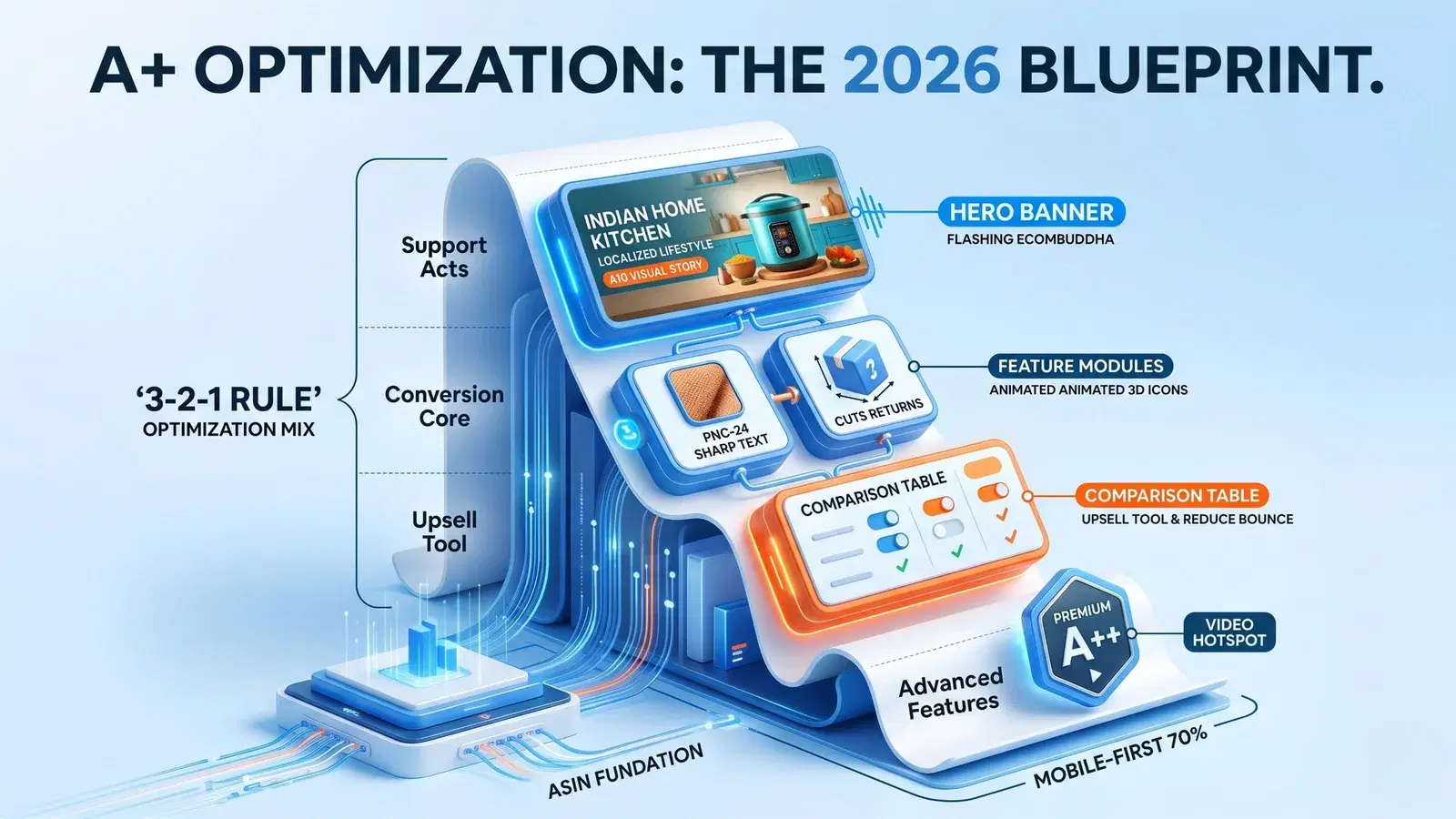
Premium A+ (also called A++) — not available by default. In India, sellers can get it enabled either through Amazon category team approval or by opting into a paid programme. Adds interactive features like video loops, hotspots, and expandable Q&A modules.
Basic A+ is free to publish for all Brand Registry sellers. Premium A+ carries an additional enablement cost in India — either via Amazon category team approval or a paid programme. For both tiers, the main expense is producing the creative assets — images, design, and copy.

Why Did Amazon Introduce A+ Content?

Amazon introduced A+ to solve a real problem — shoppers couldn't visualise products well enough from standard listings, which led to higher return rates and lower purchase confidence. The idea was simple: give brand owners the tools to tell a better product story, and both the seller and the buyer benefit.
From Amazon's side, better listings mean fewer returns, more confident purchases, and higher overall trust in the platform. For sellers, it was finally a way to stand out beyond just price and star ratings. For the buyer, it means fewer surprises when the product arrives.

What Difference Does A+ Make to Sales?

The numbers from Amazon's own published data are straightforward: listings with A+ Content see an average sales uplift of up to 10% compared to listings without it. Premium A+ listings have shown uplifts of up to 20%.
Beyond the headline numbers, here's what actually changes when you add well-built A+ content:
Shoppers spend more time on your listing, which is a positive signal for Amazon's ranking algorithm
Fewer buyers leave to compare on competitor listings
Return rates drop because buyers know exactly what they're getting before they purchase
Trust in your brand goes up, especially for first-time buyers who don't know your name yet
The effect is strongest in categories where the product needs explanation — electronics, home appliances, personal care, baby products, and anything where dimensions, materials, or usage details matter.
Up to 20% Sales Uplift

Per Amazon's own published data, Premium A+ listings can drive up to 20% more sales compared to listings with no A+ content.

Want to see what A+ can do for your listings? Try EcomBuddha Free

What Indian Shoppers Actually Said — EcomBuddha Consumer Survey

To understand how Indian buyers actually interact with A+ content, we ran a structured survey covering 100+ consumers across different income brackets, age groups, and product categories. Here's what came back.
A+ Builds Credibility First, Conversion Second
Across segments, shoppers said A+ content made a listing feel more trustworthy before it made them feel ready to buy. This matters most for first-time buyers who don't know the brand. The visual richness of a well-built A+ page reduces the hesitation of buying from an unfamiliar seller — it signals that the brand has put thought into the product and taken the time to explain it properly.
For Products Above ₹2,000 — A+ Is Non-Negotiable
For listings priced above ₹2,000, shoppers spent 3 to 4 times longer on the product page compared to sub-₹1,000 purchases. At this price point, buyers were reading every module, comparing specs, and scrutinising lifestyle images before making a decision. Sellers in this segment without A+ content are leaving purchase decisions unresolved — buyers either drop off or find a competitor who gave them the answers they were looking for.
Premium A+ Converts Better at the High End
Among buyers evaluating high-ticket products, those who encountered Premium A+ content — particularly video and interactive features — showed a clear preference for it over standard A+. However, Premium A+ functions as a conversion lever, not a discovery tool. It pushes an already-interested buyer over the line. It does not bring new buyers in — so ensure your traffic and reviews are in good shape before investing in Premium A+.
Below ₹1,000 — Keep A+ Functional, Invest More in B+ and Product Images
For sub-₹1,000 products, buyers moved faster and didn't engage deeply with lengthy feature modules. What they responded to was clean, functional A+ content — a clear comparison table, simple feature callouts — combined with strong product images and a well-built Brand Story (B+) that established trust quickly. Elaborate Premium A+ features showed no meaningful impact in this segment. The purchase decision cycle is simply too short for interactive content to land.
What This Means for Your A+ Strategy
₹2,000 and above: Build full A+, cover every module that is relevant, and consider Premium A+ if your traffic is already solid.
₹1,000 to ₹2,000: Standard A+ with strong visuals. Focus on specs, comparison, and lifestyle images that are locally relevant.
Below ₹1,000: Keep A+ tight and functional. Put more effort into product photography and Brand Story (B+) — that's where the return is highest in this segment.

What Does A+ Content Cost to Create?

Costs in India vary quite a bit depending on who does the work. Here's a straight breakdown:
Photography (if you don't have usable images)
White background product shots: ₹150 to ₹800 per image
Lifestyle shoots or edited composite images: ₹500 to ₹2,000 per image
Design and Copywriting
Freelancers (Fiverr India, Upwork): ₹2,000 to ₹5,000 for a basic 5-module page
Generalist agency: ₹1,000 to ₹5,000
Amazon specialist agency: ₹2,000 to ₹20,000
AI-Assisted Tools
For sellers managing multiple ASINs, platforms like EcomBuddha can generate A+ content drafts in minutes — reducing design turnaround from days to hours, with plans starting at ₹200. Premium A+ adds video production cost on top, which varies based on the scope of the shoot.

How to Optimise Your A+ Costs

A+ doesn't have to be expensive. Here's how sellers in India are keeping costs manageable:
Start With What You Already Have
Before spending on new photography, check whether your existing product and lifestyle images meet Amazon's minimum size requirements (960 × 300 px minimum; 1464 × 600 px recommended for most modules). Many sellers have good images sitting unused.
Prioritise Your Top ASINs First
Don't try to do your full catalogue at once. Pick your top 3 to 5 ASINs by traffic or revenue, build A+ for those, measure the uplift, then roll out to the rest. This keeps costs manageable and gives you data before you scale.
Use AI Tools for Copy and Layout Drafts
Writing module-level copy from scratch for every ASIN is time-consuming. Tools like EcomBuddha (starting at ₹200) can generate content based on your product details, so your designer or copywriter spends time refining rather than starting from zero — which directly reduces what you pay them.
Reuse Templates Across Similar Products
Once you've built a strong A+ layout for one product, adapting it for variants or similar SKUs takes a fraction of the original effort. Keep your base templates and update only what changes — imagery, key specs, and callouts.
Use One A+ Page Across Parent-Child Listings
Amazon allows you to apply the same A+ content across a parent listing and all its non-colour child variants — size, material, pack count, and so on. This means you create the A+ page once on the parent ASIN, and it automatically carries across to all connected child ASINs. For sellers with large variant catalogues, this is one of the highest-leverage cost-saving moves available. Note: colour variants each get their own A+ page since the imagery differs.
Start With Your Top ASINs

Pick your top 3 to 5 ASINs by traffic or revenue, build A+ for those first, then measure the uplift before rolling out to the full catalogue.

Build A+ for your top ASINs in minutes — Start with EcomBuddha

A+ Modules — Specs, Dimensions, Content Required, and Time to Create

Amazon's Basic A+ offers 15 modules. Here's the full breakdown with accurate specs. EcomBuddha currently supports creation of all image-based modules, with text-only and technical modules coming in the next few months.
Tip: If you want to upload a full visual without entering any text, use "Standard Image Header With Text" and simply leave the headline and description fields blank. It functions as a clean image banner.
ModuleWhat It DoesMin Image SizeContent LimitsAvg. Time
Standard Image Header With TextFull-width banner — first impression on the page. Can be used as a pure image banner by leaving headline and description fields blank.970 × 600 pxText: 6,000 chars; Headline: 150 chars; Image keywords: 100 chars1–2 hrs
Standard Image & Light Text OverlayImage with text overlaid on top — works like a visual banner. Good for lifestyle shots with a short message.970 × 300 pxText: 300 chars; Headline: 70 chars; Image keywords: 100 chars1–2 hrs
Standard Four Image & TextFour images in a row, each with a headline and text below.220 × 220 px (min) per imageText: 1,000 chars; Headline: 160 chars; Main headline: 200 chars; Image keywords: 100 chars3–5 hrs
Standard Four Image/Text QuadrantFour images in a 2×2 grid layout with text.135 × 135 px (min) per imageText: 1,000 chars; Headline: 160 chars; Image keywords: 100 chars3–5 hrs
Standard Three Images & TextThree images side by side with a headline and text block.300 × 300 px (min) per imageText: 1,000 chars; Headline: 160 chars; Main headline: 200 chars; Image keywords: 100 chars2–4 hrs
Standard Multiple Image Module AOne main image plus 4 smaller images with captions. Good for showing multiple product angles.300 × 300 px (min); 4 extra: 300 × 300 pxText: 1,000 chars; Headline: 160 chars; Captions: 200 chars; Image keywords: 100 chars3–5 hrs
Standard Single Left ImageSingle image on the left, text on the right.300 × 300 px (min)Text: 1,000 chars; Headline: 160 chars; Image keywords: 100 chars1–2 hrs
Standard Single Right ImageSingle image on the right, text on the left.300 × 300 px (min)Text: 1,000 chars; Headline: 160 chars; Image keywords: 100 chars1–2 hrs
Standard Single Image & HighlightsOne image with up to 3 sub-headlines and 8 bullet points alongside it.300 × 300 px (min)Text: 1,000 chars; Headline: 200 chars; 3 sub-headlines; 8 bullets × 100 chars2–3 hrs
Standard Single Image & SidebarTwo images — one main, one sidebar — with detailed text and bullet points.350 × 175 px + 300 × 400 px (main)Text: 500 chars; Headline: 200 chars; 1 sub-headline; 8 bullets × 200 chars2–3 hrs
Standard Single Image & Specs DetailSingle image with up to 4 sub-headlines and 8 bullet points for detailed spec breakdown.300 × 300 px (min)Text: 400–1,000 chars; Headline: 200 chars; 4 sub-headlines; 8 bullets × 100 chars2–4 hrs
Standard Comparison ChartSide-by-side comparison of 2–6 products or variants across up to 10 attributes.150 × 300 px per ASIN imageHeadline: 80 chars; 2–6 ASINs; Up to 10 comparison rows; Image keywords: 100 chars2–3 hrs
Standard Product Description TextText-only module for detailed product description. No image.No imageText: 6,000 chars1–2 hrs
Standard Technical SpecificationsLists technical specs in a structured format. Choose 1-column or 2-column layout.No imageSpec heading: 30 chars; Spec description: 500 chars; Up to 16 specs; Headline: 80 chars1–2 hrs
Standard TextPlain text block only. No image, no structure.No imageText: 5,000 chars30 mins
Note: All images must be in JPG or PNG format. Amazon rejects images below the minimum resolution. Use sRGB colour space for best on-screen rendering across devices. Image sizes above are minimum requirements — uploading at higher resolution is always better.

Don't Forget Alt Text — Your A+ Images Can Show Up on Google Too

Most sellers set up their A+ modules, upload the images, and move on. What they miss is alt text — the text description attached to each image inside Amazon's A+ Content Manager. Filling these in is one of the most underused SEO moves available to sellers on Amazon India.
Why Alt Text Matters
Google indexes Amazon product pages. When your A+ images have descriptive alt text, those images become eligible to appear in Google Image Search — giving your product a discovery path completely outside Amazon.
Alt text helps Amazon's own algorithm understand what an image is showing, which can support listing relevance for certain search queries.
For accessibility, alt text is read by screen readers — making your listing more inclusive to visually impaired shoppers.
How to Write Good Alt Text
Keep it descriptive and natural — write what the image actually shows. Do not stuff keywords; Amazon's guidelines flag it. Include your product name and primary keyword where it fits naturally. One natural placement per image is enough. For example:
Lifestyle image of a stainless steel water bottle → "Stainless steel insulated water bottle placed on a kitchen countertop with a glass of water alongside"
Feature callout of a blender motor → "1000W motor closeup of XYZ blender showing power rating on the label"
What to Tag
Every image in every module should have alt text — banners, quadrant images, sidebar images, and the brand logo. If you're on Premium A+, the video thumbnail also has an alt text field. Fill them all. It takes about 5 minutes per A+ page and is almost universally skipped by sellers. It's a small step that compounds over time as Google continues to index and rank Amazon listings.

Which A+ Module Works in Which Scenario

Picking the right module is as important as what goes inside it. Here's a quick reference by product type:
High-Ticket or Feature-Rich Products (Electronics, Appliances, Power Tools)
Use the Comparison Chart and Single Image and Highlights modules heavily. Buyers in this category do their research — they want specs, clarity, and the ability to compare. Give it to them inside your listing so they don't need to go elsewhere.
Fashion, Home Décor, and Lifestyle Products
Lead with the Header Image and Multiple Image Module. Visuals do the selling here. Your images need to show the product in a real Indian home or on a real Indian model — not stock imagery that looks imported. Generic visuals don't build trust with Indian shoppers.
Baby Products, Health, Wellness, and Personal Care
Trust is the main barrier to purchase. Use the Brand Logo and Description and Product Description Text modules to establish credibility. Mention certifications, safety standards, and ingredient transparency upfront. Indian parents especially respond to reassurance-first content.
FMCG, Grocery, and Everyday Use Items
Keep it short and clear. The Comparison Chart showing pack sizes and price-per-unit, combined with Single Image and Highlights, works well here. Shoppers in this category decide fast — your content needs to match that pace.
Multi-Variant Products (Colour, Size, Material Options)
The Comparison Chart is your best tool here. Done right, it reduces variant-related returns and removes pre-purchase confusion entirely. Pair it with a Four Image Text Quadrant to show each variant in context.
A+ content is not a one-time task — it's an ongoing part of your listing quality. Start with your best-performing ASINs, get the module mix right, keep your images sharp and locally relevant, and revisit your content at least twice a year. Sellers who treat A+ as a living part of their listing strategy consistently outperform those who set it up once and leave it.

Frequently asked Questions

Naveen Kumar Nutheti

Naveen Kumar Nutheti is a seasoned e-commerce strategist with 12+ years of experience across India and the Middle East. He has scaled businesses past ₹1,000 Cr in annual revenue and consults brands including Godrej, Nippon Paint, Kohler, Havells, Taparia, and Birla Opus on e-commerce sales strategy and product listing optimisation. He is the founder of EcomBuddha, an AI-powered listing intelligence platform for Amazon India sellers.

© Digicom Buddha Tech pvt ltd. All rights reservedPrivacy PolicyTerms of Service