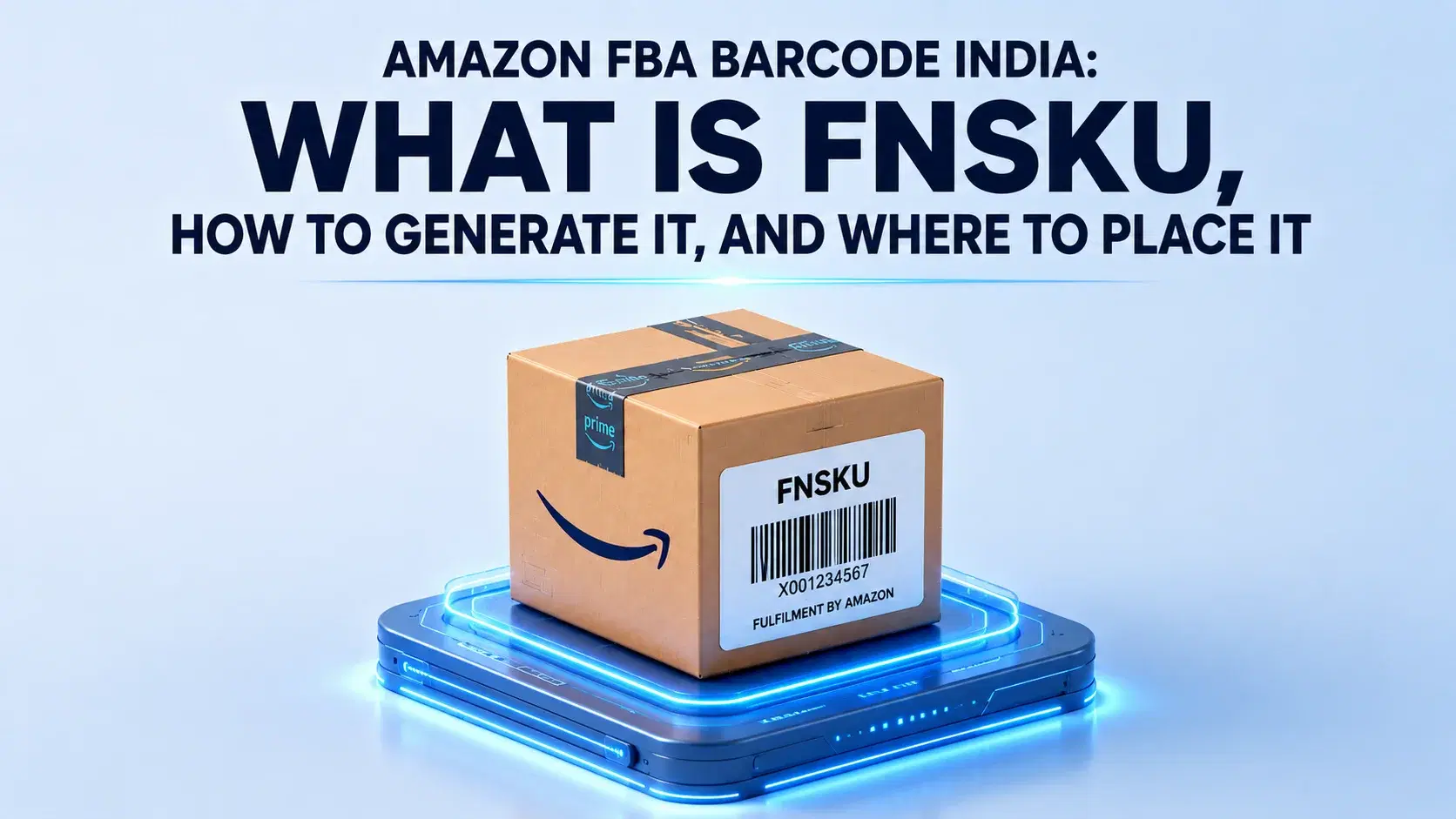
Amazon FBA
Amazon FBA Barcode India: What Is FNSKU, How to Generate It, and Where to Place It
Every product you send to Amazon India FBA needs a barcode label called an FNSKU. Get it wrong and you'll get an FC re-label fee, stranded inventory, or worse — a commingling mismatch that ships your unit to the wrong buyer. This guide covers what FNSKU is, how to generate it, and where to place it.
Key Takeaways
FNSKU is non-negotiable Every FBA unit needs a unique Amazon-assigned barcode (starting with X00) tied to your seller account. No FNSKU = no FC receiving.
Generate it free in under 5 minutes Go to Seller Central → Manage Inventory → Print Item Labels. Print on matte white label stock at 300 DPI. No inkjet.
Four placement rules that cannot be skipped Cover the manufacturer barcode fully, apply on a flat surface, label goes outside poly bags or shrink wrap, and every individual unit needs its own label not just the carton.
Resellers must use FNSKU from March 31, 2026 Amazon ended commingling. If you are a reseller (not a Brand Registry Brand Representative), FNSKU labels are now mandatory on every unit even if a UPC or EAN is already on the packaging.
India packaging dates cause FC rejection DD/MM/YYYY printed on Indian product packaging is not accepted by Amazon. Expiry dates must be in MM-DD-YYYY, MM-YYYY, or DD-MMM-YYYY format in 36-point font or larger cover and relabel before shipping.
Introduction
Amazon India's fulfilment centers reject FBA shipments every week because of one avoidable error missing or incorrectly applied FNSKU labels. The Amazon FBA barcode (FNSKU) is the identifier Amazon uses to track your specific inventory across its fulfilment network, and it is not interchangeable with a product barcode or ASIN. This guide covers exactly what the FNSKU is, how to generate it from Seller Central in under five minutes, and the placement rules that determine whether your shipment clears the FC or gets flagged on arrival.
What Is an Amazon FBA Barcode (FNSKU) and Why Amazon India Requires It
FNSKU stands for Fulfillment Network Stock Keeping Unit. Amazon assigns a unique FNSKU to every product and seller combination in its FBA network. Two sellers listing the same product each get a different FNSKU the label tracks your inventory, not just the product.
When your units arrive at an Amazon fulfilment center, the FC team scans each FNSKU label to log them against your seller account. Without a valid, scannable FNSKU label, Amazon cannot receive, store, or dispatch your units.
In our experience working with Amazon India FBA sellers from home appliance brands in Mumbai to FMCG sellers shipping from Hyderabad and Bhiwandi FNSKU labeling errors are the single most common cause of shipment delays at Amazon's fulfillment centers. Units routed for manual review take significantly longer to enter available inventory, and repeated non-compliance can trigger storage fees while your stock sits unprocessed.
FNSKU vs ASIN vs Manufacturer Barcode: What Amazon India Sellers Need to Know
Three identifiers appear on Amazon products. Confusing them is the most common reason for labeling errors.
FNSKU is your seller-specific identifier a 10-character alphanumeric code starting with X00 (for example, X001ABC123). Amazon generates it when you create an FBA shipment plan. It is unique to your account; no other seller carries the same FNSKU for the same product.
ASIN barcode (Amazon Standard Identification Number) identifies the product listing not the seller. The ASIN is the same regardless of which seller ships the product. Printing an ASIN on a label and applying it to FBA units is a non-compliance error.
Manufacturer barcode (UPC, EAN, or ISBN) is printed by the brand. From March 31, 2026, Amazon ended commingling, and its treatment of manufacturer barcodes now depends on your seller type. Brand owners enrolled in Brand Registry with the Brand Representative selling role can use manufacturer barcodes for FBA no FNSKU sticker required, since Amazon tracks their inventory virtually. For resellers who are not Brand Registry Brand Representatives, manufacturer barcodes alone are no longer accepted FNSKU labels are mandatory on every unit, even if a UPC or EAN is already printed on the packaging. For private label products, custom bundles, and multipack combinations, FNSKU is always required regardless of seller type.
Using any identifier other than FNSKU on an FBA unit including printing the ASIN as a barcode results in a labeling non-compliance flag at the FC.
How to Generate Your Amazon FBA Barcode (FNSKU) in Seller Central — Step by Step
Generating your FNSKU label takes under five minutes. Here is the exact process for Amazon India Seller Central.
Step 1 — Log in to Seller Central. Go to sellercentral.amazon.in and sign in. Navigate to Inventory → Manage Inventory.
Step 2 — Locate your product. Find the ASIN for which you need an FNSKU label. Click the dropdown arrow next to that listing and select "Print Item Labels." Alternatively, if you are building an FBA shipment: Inventory → Manage FBA Shipments → select your shipment → Work on Shipment → Label Products. The Amazon barcode example you see here is the FNSKU format.
Step 3 — Choose label format. Amazon India Seller Central offers label formats in the 1"–2" × 2"–3" size range. The standard format is 1" × 2.625" (also written as 1" × 2-5/8"), compatible with most thermal and laser label printers.
Step 4 — Download and print. Download the PDF directly from Seller Central. Print on matte, white, opaque label stock — never glossy or transparent. Use minimum 300 DPI. Thermal label printers give the most consistent, scannable output for FBA sellers; inkjet is not recommended because ink smudging under heat and humidity causes scan failures in transit.
Let Your Product Page Do The Selling
Try EcomBuddhaFNSKU Label Placement Rules: Where to Apply It and Why Each Rule Exists
Amazon India FCs scan every unit on arrival. A label that cannot be scanned in the standard FC process gets routed for manual review adding delays and potential fees. These four rules are non-negotiable.
Rule 1: Cover the manufacturer barcode completely. The FNSKU label must fully cover the original barcode. An FC scanner seeing two barcodes on the same unit will read both, which creates a conflict error. Partial coverage causes the same problem.
Rule 2: Apply on a flat surface. Labels on curved surfaces, across package seams, or on textured surfaces do not scan reliably. Use the largest flat face of the unit or its packaging.
Rule 3: Label goes outside shrink wrap or poly bags. Scanning through plastic causes read errors the label always sits on the outermost layer.
Rule 4: Label every individual unit, not just the outer carton. Each unit inside a carton needs its own FNSKU label. Labeling only the outer shipping box is one of the top five reasons Amazon India sellers receive non-compliance notices.
Five FNSKU Labeling Mistakes Amazon India Sellers Make and How to Avoid Them
These five errors account for the majority of labeling rejections at Amazon India FCs, based on our audits across electronics, FMCG, and personal care.
Mistake 1 — Glossy or transparent label stock. Glossy reflects scanner light; transparent shows the original barcode underneath. Both cause scan failures. Use matte, white, opaque labels only.
Mistake 2 — Low print resolution. A blurry barcode will not scan. Print at minimum 300 DPI. If you get amazon barcode validation errors at the FC, resolution is the first thing to check.
Mistake 3 — Label inside the poly bag or under shrink wrap. The label only scans if it sits on the outermost surface.
Mistake 4 — Labeling the outer carton only. Every individual unit needs its own FNSKU. The carton label is a separate requirement that does not replace unit-level labeling.
Mistake 5 — Wrong or missing expiry date for regulated categories. For food, health, and beauty products on Amazon India, the expiry date must appear on every unit alongside the FNSKU. Amazon's FBA expiration labeling requirements specify three accepted formats: MM-DD-YYYY, MM-YYYY, or DD-MMM-YYYY where the month is spelled out or abbreviated (for example, 26-JUN-2026). The date must be in 36-point font or larger and visible without opening the packaging.
India-specific note: Most Indian products print expiry dates in DD/MM/YYYY format (for example, 26/06/2026) the Indian and European standard. Amazon does not accept DD/MM/YYYY at its FCs. If your packaging already shows DD/MM/YYYY, cover it with a label in one of the three accepted formats before shipping.
Labeling Your FBA Units: In-House vs Third-Party Prep Services
Once your products are ready to ship, you have two practical options for FNSKU labeling: handle it in-house, or use a third-party FBA prep service.
In-house labeling gives you full control over quality and placement. Print labels from Seller Central onto matte, white label stock at 300 DPI. A thermal label printer (Zebra or Godex) is the most reliable choice for consistent, scannable output. In our experience, sellers who bring labeling in-house once monthly volume grows beyond a few hundred units per SKU typically find it faster and more accurate than outsourcing.
Third-party FBA prep services fit when you ship directly from a manufacturer who cannot apply labels, or when you are testing a new product without a labeling setup yet. Several 3PLs in India specialise in Amazon FBA prep including FNSKU labeling, poly-bagging, and carton labeling. Compare on per-unit cost, turnaround time, and Amazon compliance track record before committing.
Conclusion
FNSKU labeling is not complicated but getting it wrong costs time, money, and inventory availability. Print on matte stock at 300 DPI, cover the manufacturer barcode completely, label every individual unit, and verify scannability before the shipment leaves your warehouse. For food, health, and beauty categories on Amazon India, add the expiry date in MM-DD-YYYY, MM-YYYY, or DD-MMM-YYYY format in 36-point font or larger DD/MM/YYYY printed on most Indian packaging will not clear Amazon's FCs. EcomBuddha's FBA readiness team can audit your full labeling and shipment plan before your next dispatch reach out to book a session.
Frequently asked Questions

Naveen Kumar Nutheti is a seasoned e-commerce strategist with 12+ years of experience across India and the Middle East. He has scaled businesses past ₹1,000 Cr in annual revenue and consults brands including Godrej, Nippon Paint, Kohler, Havells, Taparia, and Birla Opus on e-commerce sales strategy and product listing optimisation. He is the founder of EcomBuddha, an AI-powered listing intelligence platform for Amazon India sellers.
Table of Contents
See how EcomBuddha can grow your Amazon India business.
Related Blogs

Amazon 101
FBA Full Form: What Amazon FBA Means, How It Works, and Whether It's Right for Your Business in 2026
8 April, 2026
Amazon Seller Strategy
Amazon Private Label 2026: How to Build Your Own Brand and Grow on Amazon
6 April, 2026
Amazon 101