Amazon GTIN Exemption 2026: Step-by-Step Guide for Indian Sellers
Amazon 101

Amazon GTIN Exemption 2026: Step-by-Step Guide for Indian Sellers

Written by Naveen Kumar Nutheti
20 April, 2026|11 min read
Share

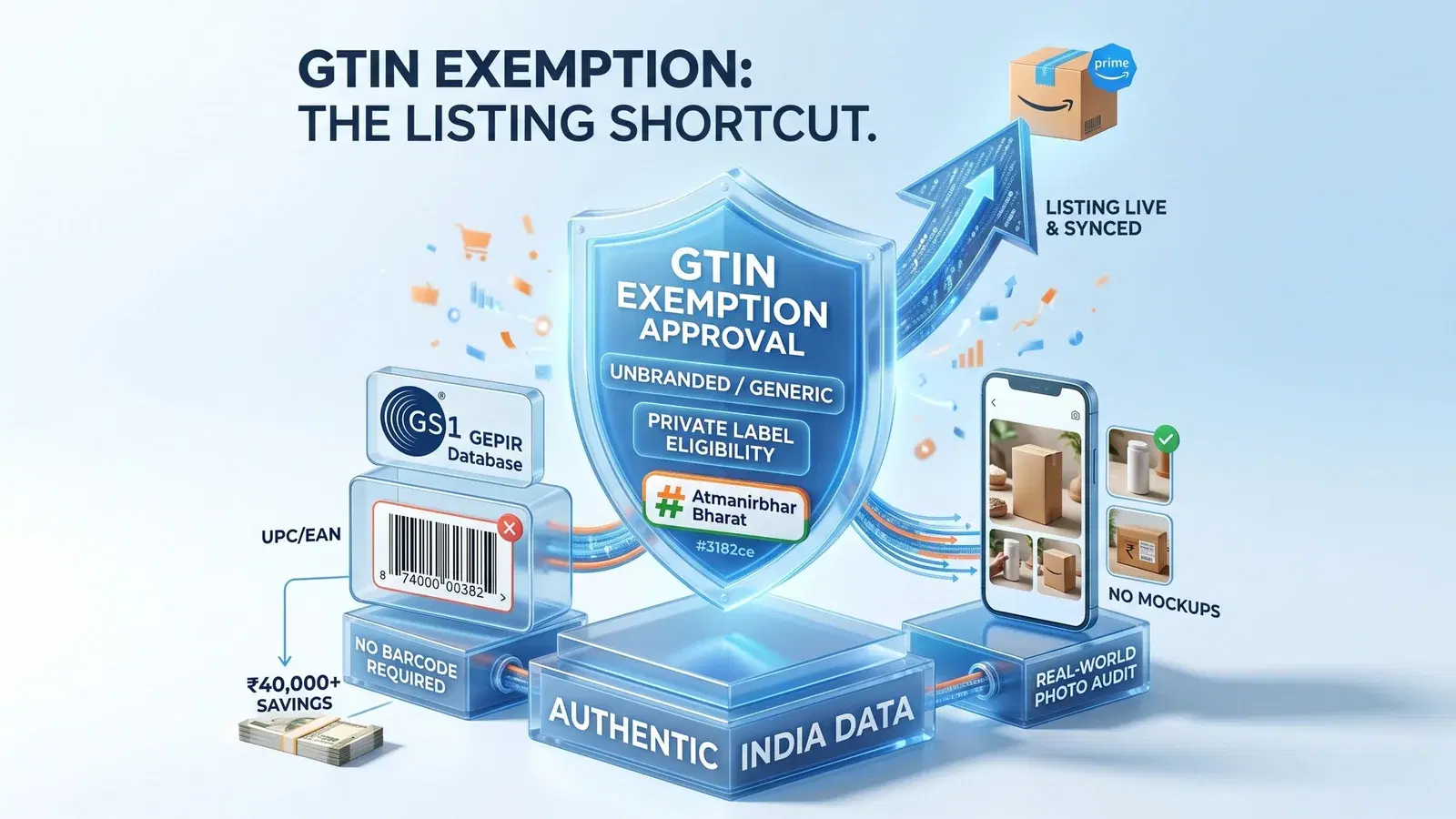
A GTIN is the permanent ID card of your product — a 12-digit UPC or 13-digit EAN that tells Amazon exactly what's being sold. Amazon cross-checks every GTIN against the GS1 GEPIR registry, and if your barcode isn't registered there, your listing gets suppressed. The GTIN exemption is Amazon's official permission to create a product listing without any barcode at all — and for Indian sellers in the launch phase, it can save over ₹45,000 in upfront GS1 fees.

Key Takeaways
Cost Efficiency: Skip the hefty GS1 registration spend when launching.
Eligibility: Works for unbranded, handmade, private-label products, parts, and bundles.
Photo Accuracy: Real-world images are mandatory — digital mockups trigger instant rejection.
Strategic Advantage: Allows rapid testing of new product bundles without barcode delays.
Patience is Key: Factor in a brief "sync lag" after approval before the listing goes live.

What is a GTIN and Why Does Your Amazon India Business Need an Exemption?

Think of a GTIN as the permanent ID card of your product. Whether it is a 12-digit UPC (used mainly in the US) or a 13-digit EAN (the format you see on most retail packaging sold in India), this number tells Amazon exactly what is being sold, by which brand, and in which variation. Amazon cross-checks every GTIN against the GS1 GEPIR database — a global barcode registry. If your barcode is not registered there under your brand's name, Amazon will either suppress the listing or delete it outright.
This is the problem that the GTIN exemption solves. It is Amazon's official permission to create a product listing without entering any barcode at all.
A. GTIN, UPC, and EAN Explained for Indian Sellers
For most Indian sellers, the relevant format is the EAN — the 13-digit number printed on retail packaging. It is internationally recognised and required for listing most products. But getting one is not free. According to the GS1 India official fee chart (effective July 2024), a small company with a turnover of up to ₹5 crore registering 100 barcodes in the first year pays roughly ₹46,070 all-inclusive (GST and security deposit). That is a significant upfront cost for any seller who is still testing whether a product will sell at all.
B. Financial Advantages of Getting an Exemption
Securing a GTIN exemption means Amazon officially permits you to skip the Product ID field when creating a listing. For a new seller, saving over ₹45,000 in the first month frees up meaningful budget for marketing, packaging, or initial stock. The exemption is granted per brand and per category, so once approved, you can keep adding new products under that same brand and category without paying GS1 fees each time.
Save ₹45,000+

Skip upfront GS1 registration fees when launching. The exemption is free to apply and stays active for the approved brand-and-category combination indefinitely.

Start on EcomBuddha

Who Qualifies for Amazon GTIN Exemption in 2026?

Not every product is eligible. Amazon grants the GTIN exemption only in specific situations where a barcode genuinely does not exist or does not apply. Below are all the scenarios where you can legitimately apply.
A. Private Label Products
If you manufacture or source products under your own brand name and your supplier has not provided a GS1-registered barcode, you qualify. The product must not already have a GS1 barcode on its packaging — if it does, you are expected to use that instead of applying for an exemption. Private label products from small Indian manufacturers are a common and valid use case here.
B. Handmade and Artisanal Products
Products that are made by hand — jewellery, pottery, block-printed textiles, hand-stitched bags, regional crafts — typically do not carry manufacturer-assigned barcodes. These qualify for exemption because no standard GTIN exists for them. If you are listed under the Amazon Handmade storefront and your seller account has been verified as a handmade seller, you will find that the GTIN field does not appear at all when creating a listing — the storefront bypasses the requirement automatically. You do not need to apply for a separate exemption in that case.
C. Generic and Unbranded Items
If you are selling a product with no brand at all — a basic phone stand, a plain jute bag, a utility hook — you list it under the brand name "Generic." These items almost always receive instant auto-approval when you apply, because Amazon recognises that unbranded products have no GS1 barcodes by definition.
D. Multi-Product Bundles
If you are creating a bundle by combining two or more products — say, a water bottle paired with a cleaning brush, or a yoga mat with a carry bag — there will be no single GTIN that covers the combined pack. You can apply for a GTIN exemption for the bundle itself.
E. Product Parts and Accessories
Individual components or spare parts that are not sold in retail packaging and do not carry a manufacturer barcode are also eligible. Common examples include mobile phone accessories, automotive parts, furniture fittings, and replacement hardware. If the part came from a small Indian supplier who never registered barcodes, the exemption is the correct route.
F. Products Where the Manufacturer Does Not Provide a GTIN
You may be reselling or importing products from a brand or manufacturer who simply never registered their products with GS1. In this case, even though someone else makes the product, there is no GTIN to enter. Amazon allows an exemption here as well. Keep in mind that the exemption is not available if the brand already appears on Amazon's list of brands that require a GTIN — those are established brands with GS1-registered barcodes, and any listing without a GTIN for those brands will be suppressed.

Pre-Application Checklist: What You Need Before You Apply

Most GTIN exemption rejections are not about eligibility — they are about paperwork. Getting the following details right before you apply will save you the back-and-forth of resubmission.
A. Real-World Photos Are the Only Photos That Work
Amazon does not accept digitally rendered images or product mockups for GTIN exemption applications. You need actual photographs of the physical product — held in your hand, placed on a table, or shown against a plain background. You need a minimum of 2 photos and can submit up to 9. Cover all sides of the product, and include the packaging if there is any. One thing that kills applications instantly: a competitor's barcode visible anywhere in the frame. Check every photo carefully before uploading.
B. Brand Name Must Be Permanently on the Product
The brand name visible on your product or packaging must be permanently printed, embossed, stitched, or engraved. A sticker placed over the product for the photo will not be accepted. More importantly, the brand name you type into the application form must match the brand name on the product exactly — same spelling, same capitalisation. If your product reads "Indi-Craft" but you enter "Indicraft" in the form, the application will be rejected.
C. Your Brand Must Already Exist in Amazon's System
Before applying for a GTIN exemption for a branded product, Amazon needs to recognise your brand. If you are registered under Amazon Brand Registry, this is handled automatically. If not, you may encounter Error 5665, which means Amazon does not have your brand on file. The fix is to contact Selling Partner Support, mention Error 5665, and get your brand name approved before you proceed with the exemption application.
Real-World Photos Only

Digital mockups trigger instant rejection. Use actual photos of the physical product from multiple angles — no visible barcodes from competing products in the frame.

Download Free on EcomBuddha

Amazon GTIN Exemption: How to Apply Step by Step in 2026

There are two ways to apply. The first is the inline method — you apply while creating the listing itself, and the exemption and listing are done in a single flow. The second is the standalone method — you apply separately first, then create the listing after approval. Both are valid. The inline method is faster if your documents are ready.
A. Inline Method (Recommended): Apply While Creating Your Listing
1. Log in to your Amazon Seller Central account.
2. Go to Catalog → Add Products.
3. Select "I'm adding a product not sold on Amazon" and click Create a New Listing.
4. Choose your product category.
5. Enter your brand name. If the product is unbranded, select "This product does not have a brand name" — Amazon will set the brand to Generic automatically.
6. Check the box that says "I don't have a Product ID."
7. Amazon will prompt you to upload your product photos and any supporting documents. Upload 2–9 real photos at this stage.
8. Click Submit. If your product qualifies, the exemption is approved and you continue filling in the listing in the same flow without starting over.
B. Standalone Method: Apply First, List Later
1. Log in to Seller Central.
2. Go to Catalog → Add Products and begin as if listing a product.
3. When you reach the Product ID field, select "I do not have a Product ID" and click the Apply Now link that appears.
4. On the application page, enter your brand name (or Generic for unbranded items) and select the relevant product category.
5. You can apply for up to 10 brand-and-category combinations in a single form using the "Add more brands" option — useful if you are launching multiple products across categories.
6. Upload your 2–9 product photos and submit.
7. Once you receive the approval email, wait at least 30 minutes before creating your listing. Amazon's systems need this time to sync the exemption to your account.
Tip: If you see Error 5665 at any point, it means your brand is not yet approved in Amazon's system. Contact Selling Partner Support and mention the error code to get the brand added before you retry the exemption application.

What Happens After You Submit Your Request?

Once submitted, the review process is fairly quick — and the outcome depends on whether your product is branded or unbranded.
A. Automated vs. Manual Review Timelines
Applications under the Generic brand name are almost always auto-approved within minutes. Branded applications go through manual review by an Amazon associate and typically take 24 to 72 hours. You will receive an email the moment a decision is made. You can also check your application status under Catalog → View Selling Applications in Seller Central, or look it up in your case log.
B. Troubleshooting Common Rejections
If your application is rejected, the error message will tell you why. The most common issue is Error 5665, which means either the brand name is not recognised or the logo on the product looks temporary to the reviewer. Reshoot using a photo that clearly shows a permanent, printed or embossed brand name and reapply.
Other common rejection reasons: a competitor's barcode visible in the photo, brand name mismatch between the product and the form, or submitting in a category that does not support GTIN exemptions (such as certain subcategories within Music, Video Games, or Media, which require ISBNs or ASINs by default).
If your application is approved but the exemption does not seem to be working when you try to list, wait 30 minutes. Amazon's internal systems take time to sync the approval across your account. This is a known and common issue — not a sign that something went wrong.

How to Create Listings with Your Approved GTIN Exemption

If you used the inline method, your listing is already in progress — just continue filling in the remaining details and publish.
If you used the standalone method and received an approval email, here is how to create the listing:
A. Creating the Listing After Standalone Approval
1. Go to Catalog → Add Products.
2. Enter the exact same brand name and select the exact same category that appear in your approval notice. Even a small difference in spelling or capitalisation will break the match and the system will ask for a GTIN again.
3. When the Product ID field appears, leave it blank. Do not select UPC or EAN from the dropdown. The system will recognise the exemption for this brand-and-category combination and allow you to proceed without a barcode.
4. Fill in all remaining listing details — title, bullet points, description, price, images — and publish.
B. Important: Exemptions Are Locked to One Brand-Category Combination
Your exemption covers exactly one brand name and one category. If you were approved for Office Products but want to list the same item under Home & Kitchen, you need to apply for a fresh exemption for that combination. The same applies if you launch a second brand — each brand requires its own application per category. Keep your approval email for reference, because the brand name and category on record must match exactly every time you create a new listing under that exemption.
The Amazon GTIN exemption is genuinely one of the most useful tools for Indian sellers who are in the early stages of building a catalogue. It removes a real financial barrier — the GS1 registration cost — and gives you the flexibility to test new products, launch bundles, and expand under your brand without barcode delays. Follow the steps in this guide, keep your photos authentic, match your brand name exactly, and the process is straightforward. Once approved, the exemption stays active for that brand-and-category combination indefinitely unless Amazon revokes it for a policy violation.

Frequently asked Questions

Naveen Kumar Nutheti

Naveen Kumar Nutheti is a seasoned e-commerce strategist with 12+ years of experience across India and the Middle East. He has scaled businesses past ₹1,000 Cr in annual revenue and consults brands including Godrej, Nippon Paint, Kohler, Havells, Taparia, and Birla Opus on e-commerce sales strategy and product listing optimisation. He is the founder of EcomBuddha, an AI-powered listing intelligence platform for Amazon India sellers.

© Digicom Buddha Tech pvt ltd. All rights reservedPrivacy PolicyTerms of Service